

HALLOWEEN FAVORITE | LIMITED STOCK
EmberVue™ Halloween Projector
EmberVue™ Halloween Projector
- ✓ Instantly transforms your space for Halloween
- ✓ Perfect for parties, movie nights and decorating
- ✓ Compact, adjustable and easy to position
Couldn't load pickup availability
-
Ordered
- - -
Order Ready
- - -
Delivered

EmberVue™ Halloween Projector
-

I expected a basic Halloween light, but it completely changed the feel of our living room. We projected it during our scary-movie night, and the kids immediately loved it.
-

We used EmberVue for our Halloween party, and everyone kept asking where the visuals were coming from.
-

This gave the room an instant Halloween vibe, and I could reposition it whenever I wanted.


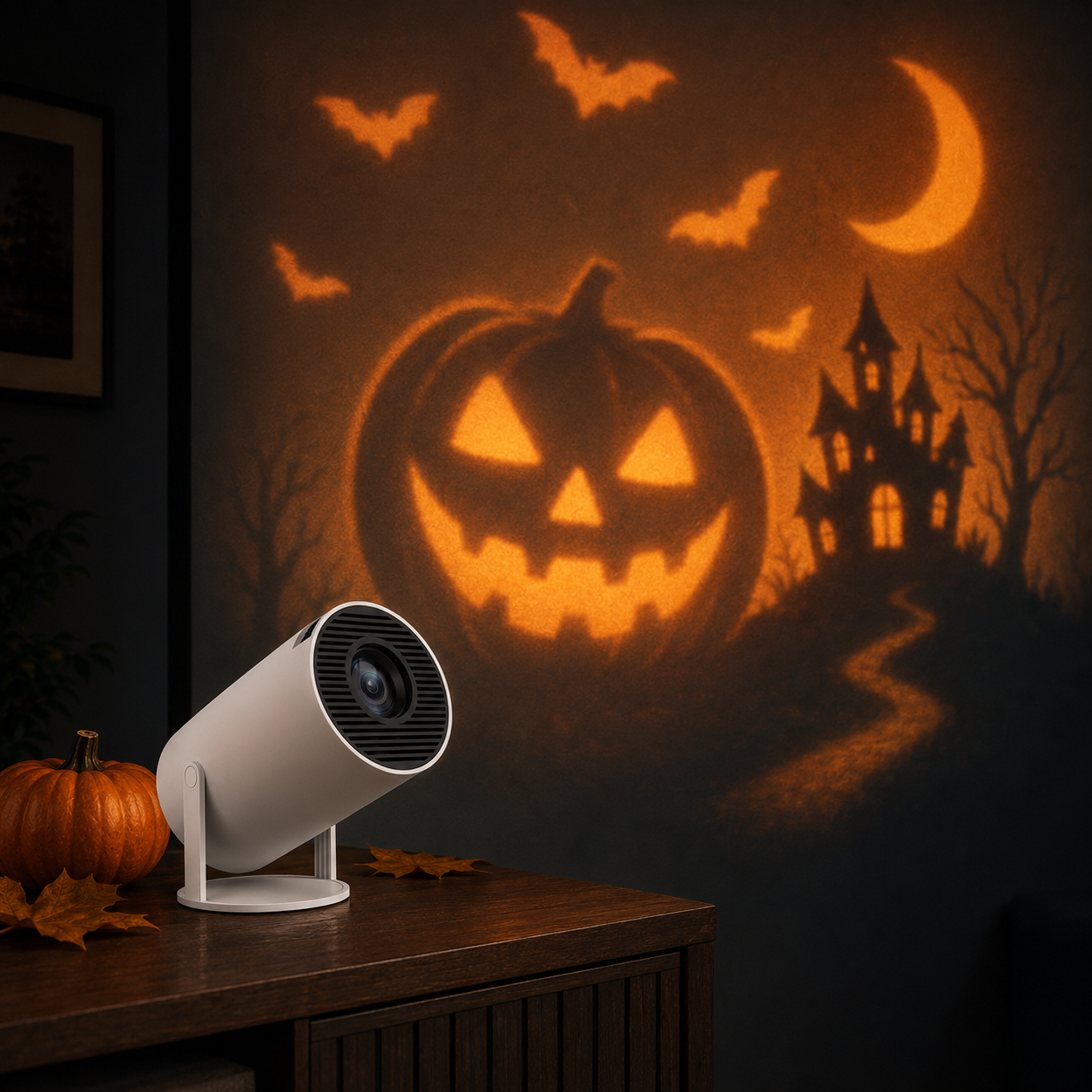
🎃 About EmberVue
EmberVue makes it easy to create an immersive Halloween atmosphere without spending hours hanging and storing traditional decorations.
Its compact, adjustable design can be positioned to bring Halloween visuals to your favorite indoor space.
📦 What’s Included
- EmberVue Halloween Projector
- Power cable
- Remote control
- Quick-start instructions
✨ Setup & Use
1. Position EmberVue on a stable surface facing your desired projection area.
2. Connect the projector to power and select your Halloween visual.
3. Adjust the angle and focus until the image fits your space.
For the strongest effect, use EmberVue in a dimly lit or dark room.
✈️ Shipping & Guarantee
Orders are carefully processed before shipment. Tracking information will be emailed once your EmberVue is on its way.
Your purchase is protected by our 30-day guarantee. If you experience an issue, contact our support team and we’ll help make it right.
Halloween, Reimagined
Your Home Becomes the Halloween Experience
EmberVue brings the atmosphere of Halloween into your favorite space without the time, clutter or complicated setup of traditional decorations. From scary-movie nights to unforgettable parties, one compact projector helps set the mood the moment the lights go down.
Why People Love EmberVue™
Helpful Customer Support
Have questions about your order or setup? Our team is ready to help make your EmberVue experience easy.
30-Day Guarantee
Try EmberVue at home with the reassurance of our 30-day satisfaction guarantee.

Instant Halloween Atmosphere
Turn an ordinary room into a spooky seasonal experience the moment the lights go down.
Simple, Adjustable Setup
The compact design is easy to position, adjust and incorporate into your Halloween decorating setup.
Everything You Need to Know
Frequently Asked Questions
Will the projection be visible during the daytime?
Like most home projectors, EmberVue produces its strongest colors and contrast in a dark or dimly lit environment. For the most immersive Halloween effect, use it after sunset and reduce nearby room lighting.
What should I do if the image looks blurry?
Place EmberVue on a stable surface, aim it as directly toward the projection area as possible, and adjust the focus until the image becomes clear. Moving it slightly closer or farther away can also improve sharpness.
Why does my projected image look stretched or uneven?
Distortion usually happens when a projector is positioned at a strong angle. For the best result, place EmberVue near the center of the projection area and keep the lens as level and perpendicular to the surface as possible.
Can EmberVue project Halloween visuals onto a window?
For window displays, position EmberVue safely inside your home and project toward a light-colored curtain or suitable rear-projection material. Results are best after dark, with other nearby lights reduced.
Is it normal to hear the projector fan?
Yes. Projectors use internal cooling fans to manage heat while operating, so some airflow noise is normal. Keep the ventilation openings unobstructed and avoid placing EmberVue directly beside where someone is sitting.
How can I prevent the projector from overheating?
Place EmberVue on a firm, open surface with space around its vents. Do not cover it with decorations, fabric or leaves, and allow it to cool before storing it after extended use.
Can I leave EmberVue outside overnight?
EmberVue should be kept indoors and protected from rain, moisture and extreme temperatures unless your exact model is specifically rated for outdoor use. For an exterior-facing display, project safely from inside your home through a window.
Why EmberVue™ Stands Out
Create the Halloween atmosphere you want without the boxes, clutter and hours of setting up traditional decorations.